
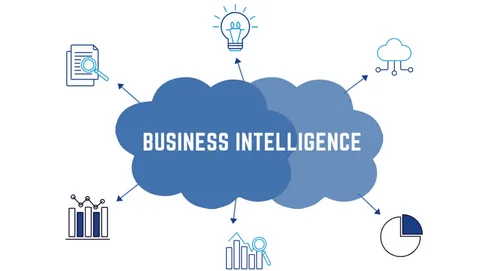
The main goal of any BI system is to enable businesses to make decisions based on the analysis of accurate, complete, and structured data. If you are development-oriented and need details, then your business definitely needs a BI system. If you are still using MS Access but looking for a modern BI system, then this article is for you, as we will look at the reasons for migrating from MS Access to the Power app.
What Is a BI System?
A BI system is a set of tools for collecting, analyzing, and visualizing data. Modern business uses different sources to collect and analyze data in order to understand the market. Large companies analyze thousands of indicators. A simple example: to analyze the sale of a child’s toy, a BI specialist may need information:
- about the toy itself: name, article, brand, product category, etc.;
- about the price;
- what marketing activities does it participate in: where is it advertised, are there promotions, discounts;
- store location;
- on which shelf such toys are located, how they are promoted in the store itself;
- on what day of the week and at what time of the day it was bought;
- what payment methods customers used, etc.
This kind of detail is important. The collection and analysis of such data allows businesses to see patterns that are not obvious at first glance, but very useful for development. In our toy example, a BI analytics system can show that a particular product is in demand in certain retail chains, or in certain regions.
Thus, we can single out several important goals that a business closes when it implements a BI system:
- Collection, structuring, and storage of data from different sources.
- Data exploration
- Reporting for more effective control of the execution of tasks, as well as fixing deviations
- Modeling and forecasting business decisions, taking into account the results of information analysis
The main goal of any BI system is to enable businesses to make decisions based on the analysis of accurate, complete, and structured data.
What Does a BI System Consist Of
The advantage of good BI systems is simplicity when development skills are not needed to work. An analyst, marketer, or other specialist requests reports through the interface, and the system generates dashboards that contain all the necessary information in a structured form.
However, behind the external simplicity of interaction with the BI system, complex mechanisms for processing data and preparing them for analysis are hidden. The basis of the BI solution is:
- ETL tools
- Analytical storage
- Data mining toolkit
- Visualization tools
How Does a Company Understand That a BI System Is Needed?
Understanding that the time has come to use modern technologies in working with data usually comes when the business begins to grow. Here are a few signs that indicate that it would be a good idea to consider implementing a BI system:
- In your daily work, you need information from a variety of sources: from the marketing department, sales department, CRM, advertising cabinets, website, and so on.
- You see the need to improve the work of the company’s analysts, who must track the results of introducing new products, updating the IT environment, and providing operational access to business data.
- There is a growing number of qualified employees who need commercial or analytical information.
Modern BI systems help to process information from a variety of areas – marketing, financial and logistics services, general administration department, HR, and others. For example, based on BI reports, a business gets the opportunity to:
- Measure the results of advertising campaigns.
- Track the movement of finances, and keep track of operating expenses and gross profit.
- Build a personnel policy.
- Find and track trends in consumer behavior of potential customers in different channels of interaction with the company.
- Flexibly segment the target audience.
- Adjust financial and operational planning, and improve profitability forecasts.
Power BI Is an Efficient Solution For Working With Data
Power BI is a business intelligence software from Microsoft responsible for processing, analyzing, and visualizing data. They are presented in the form of tables or a network of cloud or local storage. With Power BI which is included in the Power Platform, you can connect to the repository, highlight the most important information, and visualize it to create a report and presentation.
Who Is Power BI For?
Power BI can be both a personal tool for compiling bright and large-scale reports and an indispensable assistant in companies with complex and multi-level CRM systems and multiple sales and advertising channels. The software allows you to work with large amounts of data, so the main users of the product can be:
- Analysts of large companies. The system helps in identifying growth points and modeling new opportunities;
- middle managers. Data on the implementation of KPI, a detailed analysis will help evaluate the work of both the whole department and an individual employee;
- Top management. Auto-analysis and reporting for a different period of time will allow you to analyze the work of departments and areas;
- Leaders. Monitoring the operation of the enterprise in dynamics, and visual visualization of data.
Power BI Functionality
The system consists of three large blocks: a dashboard, applications, and reports.
- Reports. Reports are pages with data visualization in the form of charts, graphs, maps, etc. You can create them yourself inside Power BI or import them using dashboards. Reports can be created automatically if you connect Power BI to external data stores – Excel workbooks, APIs of various systems, Google Docs, a SaaS application, and various databases.
- Dashboard. A separate page where you can see the visualized data (tiles and widgets). Usually, it is called a canvas. Dashboards give users access to all the information they need, make sure that the project team is using the same data, and monitor the status of a task by displaying key metrics.
- Applications. The system element that brings together all dashboards and reports.
This is probably more than enough reasons for migrating from MS Access to the Power app if you want to try the functionality of Power BI.
Final Thoughts
When choosing a BI system, you need to determine how it meets the needs of the company, what functions it has, whether it is convenient to work in the interface, and whether its cost fits into the budget. If you are looking for a modern data solution like Power BI, we recommend that you turn to Modlogix. It helps clients successfully migrate from legacy systems to more efficient solutions, in particular from MS Access to Power app.
